Connecting Claude to Salesforce with MCP: The Governance Gap in Headless AI Workflows
Model Context Protocol makes it easy to connect an AI assistant like Claude directly to your Salesforce org and let it read and even write records. That power is real, but running production workflows this way exposes gaps in accuracy, review, and admin control.

ConvoPro Team
Salesforce AI Workflow Advisors
Featured
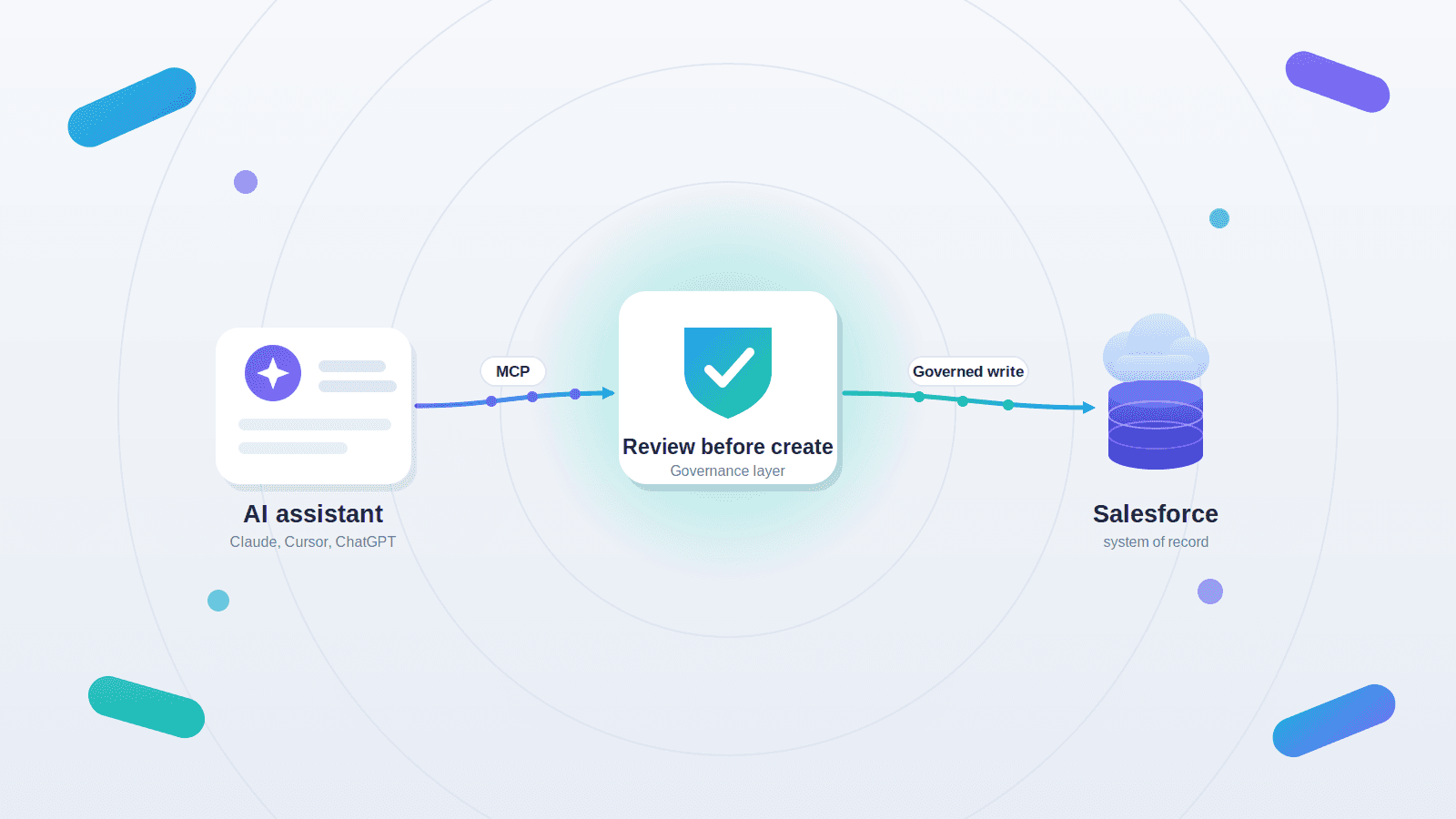
It has never been easier to point an AI assistant at your Salesforce org and let it work. With a few lines of configuration, a tool like Claude can read records, summarize a messy account, and even create or update data, with no custom integration required. The pattern is appealing, and it is spreading fast. The harder question is what happens when that same setup runs a workflow 20 or 30 times a week and every action lands directly in your system of record.
This is the promise and the risk of headless Salesforce: interacting with your org through APIs and an AI client instead of the Salesforce interface. The plumbing that makes it possible is the Model Context Protocol, and understanding where it shines and where it falls short is now a real buying decision for Salesforce admins, RevOps leaders, and IT teams.
What headless Salesforce and MCP actually mean
Headless Salesforce means using Salesforce as the backend, the data, the objects, the automation, while the person interacts through something other than the standard Salesforce UI. In an AI context, that something is a chat assistant that reads and writes Salesforce through an API connection.
The Model Context Protocol, or MCP, is the standard that makes those connections reusable. MCP is an open standard originally developed by Anthropic that defines how AI models connect to external tools, systems, and data. Instead of building a custom integration for every assistant and every data source, you build one MCP server for a system and any MCP-aware client can use it. A server exposes specific data and actions, and the client, the AI app, calls them.
Salesforce has leaned into this directly. It has released its own MCP servers for developer tooling and data access, and it has been rolling out hosted, governed MCP access to Salesforce data. Clients such as Claude can connect to these servers and operate against your org. Salesforce frames this work as part of a broader move toward exposing its platform to AI agents.
Why teams reach for Claude plus MCP first
The operational pull is obvious. A direct AI-to-Salesforce connection skips months of integration work. The assistant can answer questions about a record, pull the last several cases on an account, draft a summary, and, with many community-built servers, run a query and create, update, or delete records on command.
For exploration, reporting, and read-heavy investigation, this is genuinely useful. A RevOps analyst can ask plain-language questions about pipeline instead of building a report. A developer can inspect metadata without leaving their editor. When the stakes are low and a human is reading every result, a raw MCP connection earns its place.
The trouble starts when the same connection becomes the path that writes to production.
Where a raw MCP connection breaks down in production
It answers confidently, even when it is wrong
An MCP server can expose your objects and fields, but it does not carry the business meaning behind them. A model can read a field without understanding the rule that governs it. Ask how many demos a rep booked last month, and a server may dutifully count every record tied to that rep, including the auto-assigned, no-touch leads that should never have been included. The number looks right and is quietly wrong. In a large org with custom rules baked into flows and validation, this gap between what the field says and what the business means shows up constantly.
If your AI results are only as good as the data and context underneath them, the fix often starts upstream. We cover that groundwork in why you should fix the Salesforce data plumbing before chasing AI features.
It can write to your org with no review step
This is the part that should give every admin pause. Many MCP servers expose create, update, and delete as callable actions. That means a free-text prompt can become a new Salesforce record with nothing in between. There is no built-in moment where a person sees the proposed change, checks the field mapping, and approves it before it is committed. Convenience and control pull in opposite directions here, and in most production workflows control has to win.
It is stateless and unprioritized
MCP clients generally treat each request in isolation. They do not remember the previous step, and they were not built to reason about which of your thousands of flows, automations, and custom objects actually matter for a given task. For a single read, that is fine. For a multi-step workflow, capture an intake, map it, route it, create the record, notify a downstream team, statelessness and a lack of prioritization turn into dropped context and inconsistent results.
Security and governance become your problem
Salesforce itself is candid that the hard part of MCP for enterprises is securing the data and tools the servers touch and putting the right policies and governance around them. With a do-it-yourself server, that burden lands on you: managing credentials, restricting access, deciding which actions are even allowed, and proving who did what. Frameworks like the NIST AI Risk Management Framework exist precisely because the model being able to do something is not the same as the model doing it without controls.
When the native or do-it-yourself path is the right call
None of this means a direct MCP connection is a mistake. It means the right tool depends on the workflow. The honest version of the decision looks like this.
Approach | Best when | What to watch for |
|---|---|---|
Raw or community MCP server with a chat assistant | Read-heavy exploration, reporting questions, and developer workflows where a human reviews every result | No built-in review before writes; security and governance are yours to build |
Salesforce-hosted MCP plus Agentforce | You are ready to deploy and govern AI agents at scale with enterprise data and admin readiness | A broader program to stand up; more than one bounded workflow needs |
Salesforce Flow | The process lives fully inside Salesforce, is stable, and is well defined | Less suited to messy input that starts outside Salesforce |
Governed AI workflow layer (ConvoPro) | One painful, high-frequency workflow must take messy input and end in clean, reviewed Salesforce data | Scoped by design; not a replacement for a full agent or data platform |
If you are early in evaluating any of these, a structured comparison helps. Our buyer’s checklist for Salesforce-native AI automation tools walks through the questions worth asking before you connect production data.
How ConvoPro closes the governance gap for one bounded workflow
ConvoPro is a practical AI workflow layer for Salesforce. It is not a replacement for Salesforce, for Flow, or for Agentforce, and it does not try to be a general-purpose agent. Salesforce remains the system of record. ConvoPro adds the structured, reviewable layer between messy input and a clean Salesforce action, which is exactly what a raw MCP connection leaves out.
Three differences matter most.
The first is schema-driven intake. Instead of hoping a model maps free text to the right fields, ConvoPro structures the input against a defined schema so the destination object and fields are populated correctly.
The second is review-before-create. Before a record is created or updated, the proposed action is shown for human approval. The conversational ease stays, and the uncontrolled write does not.
The third is the governance layer. Admins control which connectors, tools, and actions are available, how authentication works, and which workflows are even exposed. The goal is controlled action on a known process, not open-ended automation.
ConvoPro complements the Salesforce-native stack rather than competing with it. For teams ready to build and orchestrate agents broadly, Agentforce and Salesforce’s hosted MCP servers are the right destination. For a team that needs to prove one governed workflow before committing to a larger program, ConvoPro is the lighter path, and you can revisit some of the broader options in our overview of Salesforce Agentforce alternatives.
A concrete example: field service intake
Picture a field technician who needs to log an asset issue. With a raw AI-plus-MCP setup, the technician might type a description into a chat and the assistant could create a case directly, unstructured, unmapped, and unreviewed. With a governed workflow layer, the same intake follows a controlled sequence:
Start. The technician scans a QR code that opens a dynamic intake form with the asset’s context already attached.
Structure. The messy description, notes, and a photo are mapped against the case schema so the right Salesforce fields are filled.
Review. The proposed case is shown for approval, with the chance to correct anything before it is committed.
Write. On approval, the case is created or updated in Salesforce through approved authentication.
Handoff. A summary is sent to the right inbox or downstream system, and Salesforce holds the clean record.
Same conversational ease, very different outcome: clean data, a human approval step, and admin control over what the workflow is allowed to do.
Choosing your path
A few plain questions usually settle it. How often does the workflow run, and does it write to Salesforce or only read from it? Who needs to review an action before it becomes a record? Does the work start outside Salesforce in email, a form, a file, or a field visit? And is the native or agent path more than this one workflow actually requires right now? If the workflow writes frequently, starts with messy input, and needs a human checkpoint, a governed workflow layer is usually the safer first step.
FAQ
Can you connect Claude to Salesforce?
Yes. Using the Model Context Protocol, an MCP-aware assistant such as Claude can connect to a Salesforce MCP server and read, and in many configurations write, Salesforce data. Salesforce has also released its own MCP servers and hosted, governed MCP access.
What is MCP in the context of Salesforce?
MCP is an open standard, originally developed by Anthropic, for connecting AI models to external tools and data. For Salesforce, an MCP server exposes selected objects, fields, and actions so a compatible AI client can work with your org without a custom integration for every tool.
Is it safe to let an AI write to Salesforce through MCP?
It depends on the controls around it. A direct connection can create or update records with no review step, which is risky for production data. Safer patterns add structured field mapping, a human approval before records are written, and admin control over which actions are allowed.
How is ConvoPro different from Agentforce or a raw MCP connection?
Agentforce is Salesforce’s platform for building and orchestrating AI agents at scale, and a raw MCP connection is a direct, do-it-yourself link between an assistant and your org. ConvoPro is a governed AI workflow layer for one bounded workflow at a time: schema-driven intake, review-before-create, and admin-controlled actions, with Salesforce remaining the system of record.
When should I use a governed workflow layer instead of a direct MCP connection?
Choose a governed workflow layer when a high-frequency workflow takes messy input from outside Salesforce, must end in clean records, and needs a human to approve actions before they are committed. A direct MCP connection is better suited to low-stakes, read-heavy work where a person reviews every result.
See it on your own workflow
If one workflow in your org runs often, starts messy, and has to end in clean Salesforce data, that is the place to start. See how ConvoPro Studio works on real Salesforce work and review the plans on the ConvoPro pricing page, or talk to the ConvoPro team about scoping a single workflow as a governed pilot.



