Headless Salesforce with ChatGPT or Claude vs Governed In-Org AI Workflows
Salesforce Headless 360 and hosted MCP servers make it straightforward to point ChatGPT, Claude or a custom agent at your org without anyone opening a browser.

ConvoPro Team
Salesforce Advisors
Featured
Headless Salesforce with ChatGPT or Claude vs Governed In-Org AI Workflows
Headless Salesforce means reaching the platform's data, logic and automation without a user opening the Lightning interface. As of 2026 you can do that in four broadly different ways: build your own API integration, connect an external AI client through Salesforce Hosted MCP Servers, run agents inside the org with Agentforce, or put a governed workflow layer between the model and the system of record. All four can read and write Salesforce records. They differ in who the action is attributed to, what gets reviewed before a write lands, how failures are caught, and who maintains the thing in eighteen months.
This article is published by ConvoPro, which sells one of the options described below. We have evaluated our own product against the same criteria used for the others, and there are several situations in this guide where a Salesforce-native tool or a custom build is the better answer.
What headless Salesforce actually means
In software, the "head" is the user interface. A headless architecture removes the dependency on that interface so that other systems can call the underlying capability directly. Applied to Salesforce, headless means an agent, a script or an external application invokes platform capability without a human clicking through a record page.
That idea is not new. Salesforce has had REST and SOAP APIs for many years, and integration platforms have used them without a browser for just as long. What changed in 2026 is the breadth of what is exposed and the standardisation of how AI clients consume it.
The 2026 landscape
At TDX 2026 in April, Salesforce announced Headless 360, positioning the platform so that capabilities are reachable as APIs, MCP tools and CLI commands, with pre-launch tooling such as a Testing Center that surfaces logic gaps and policy violations, and post-launch Observability and Session Tracing to explain why an agent behaved as it did. The same announcement introduced Agent Fabric as a governed control plane for organisations running agents across multiple platforms and vendors, with deterministic orchestration and centralised agent, tool and LLM governance.
Alongside that, Salesforce Hosted MCP Servers reached general availability. The documentation is direct about the intent: using the open Model Context Protocol standard, any compatible AI client — Claude, ChatGPT, Cursor, or a custom agent — can connect to a Salesforce org and act on behalf of authorised users, configured once in Salesforce rather than as a separate custom integration per tool.
The Agent Fabric expansion is worth reading closely if you are running more than one AI platform. Salesforce's framing is that not every business process needs to be fully agentic and not every task should be routed to the same expensive model, and the answer offered is a control plane with expanded agent and MCP discovery, deterministic orchestration and LLM governance. That is a vendor acknowledging that unbounded autonomy is not the default enterprise pattern.
Two practical notes before going further. Salesforce has not published separate production pricing for Headless 360 as a standalone product, and capability availability has been rolling out in phases, so check the current release notes and your own org before committing to a design. And every claim in this section describes platform capability, not your configuration — the platform gives you controls, and whether they are switched on is your responsibility.
The four architectures
Direct API integration you build yourself
A service you own authenticates to Salesforce, calls REST endpoints, and hands results to a model. You control everything, including the parts you would rather not own: token refresh, error handling, retry logic, rate limits, schema drift, and the permission model.
Salesforce now advises against a specific version of this. Its guidance states that building a custom proxy layer around the REST APIs instead of using the hosted server bypasses the platform's security controls, removes request-level telemetry, and creates a maintenance burden that grows as the API surface evolves. That is worth taking seriously if your only reason for building was to expose Salesforce to an AI client. Direct integration still makes sense when you need behaviour the hosted servers do not offer, when the workload is a high-volume batch process rather than an interactive agent, or when the integration predates MCP and works.
External AI client over Salesforce Hosted MCP Servers
An admin enables a server in Setup, creates an External Client App for OAuth, and a user connects their AI client. The client can then query, read and — depending on the server — create, update and delete records.
The security model here is stronger than most people assume, and it is worth stating precisely because the alternative is guesswork. Salesforce documents that every MCP tool call runs with the same permissions as the user who authorised the connection: the same object-level access, field-level security and record sharing rules, with all actions attributed to the named user in audit trails. It goes further: if a user cannot perform an action in the Lightning UI or over the REST API, they cannot perform it via MCP, and the system uses OAuth authorization code flow exclusively — no service accounts, no machine-to-machine flows, and no autonomous operation outside user context.
Salesforce also ships restraint options. The read-only server exposes only read operations; Named Queries let admins define specific SOQL queries as reusable APIs; custom tools backed by Apex, REST endpoints or Flows implement conditional access rules beyond what standard permissions express; and External Client Apps can be linked to specific profiles and permission sets. Servers are disabled by default and require explicit administrative action to enable, and dynamic client registration is not supported, so administrators must explicitly configure which applications can connect.
What this architecture does not give you is a review step you control. Confirmation before a write is a property of the client application, not of Salesforce. MCP does provide behavioural hints — an annotations object with readOnlyHint, destructiveHint, idempotentHint and openWorldHint, which well-behaved clients use to auto-execute reads and require confirmation for destructive operations — but Salesforce is explicit that annotations are hints, not enforcement, and not all clients read or respect them. If your custom tools omit these annotations, the spec defaults treat them as potentially destructive, which produces confirmation noise rather than useful gates.
Agentforce and in-org agents
Agents built and run inside Salesforce, using platform actions, Flows and topic-level guardrails, governed by Salesforce's own controls and metered through Salesforce's consumption model. Current rates and packaging are published on the Salesforce Agentforce pages, and our own breakdown of how the models work is in our guide to Agentforce pricing.
This is the right answer for a great many organisations, and it is the first thing to evaluate if the work already lives inside Salesforce, the org has the Flow maturity to supply reliable actions, and the team can support a consumption-based cost model.
A governed workflow layer
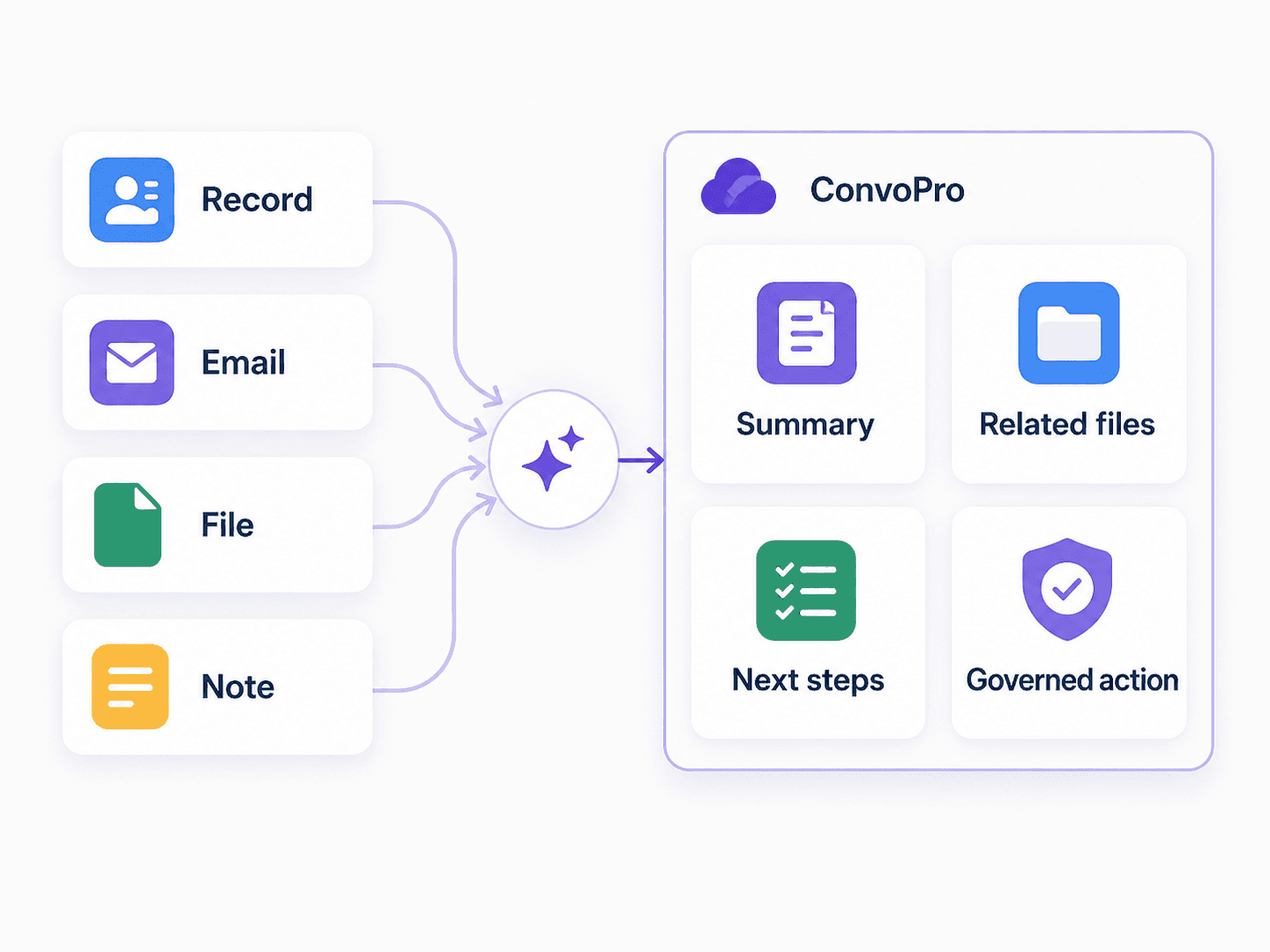
A managed layer sits between the model and Salesforce. It defines which tools exist, structures the model's output against a schema, presents a proposed change for human approval, and only then writes. Salesforce stays the system of record. ConvoPro is one of these; there are others, and custom-built approval layers on top of MCP are a legitimate variant.
Comparing the four
Consideration | Custom API build | External client over hosted MCP | Agentforce | Governed workflow layer |
|---|---|---|---|---|
Identity model | Whatever you implement, often an integration user | Per-user OAuth, no service accounts | Platform-governed agent user | Acting user's Salesforce permissions, plus layer-level tool controls |
Review before write | Build it yourself | Client-side confirmation, not enforced by Salesforce | Configurable, varies by action design | Review-before-create as the default pattern |
Attribution in audit trail | Often the integration user | Named user | Agent, per platform logging | Named user, plus a record of what was proposed and approved |
Who maintains it | Your developers | Admin, plus each user's client config | Admin and agent designer | Vendor, with admin configuration |
Best when | You need behaviour the platform does not expose | Exploration, analysis, developer workflows | Scaled in-org agents with mature Flows | Messy external input that must become clean records |
Weakest when | Anything you would rather not maintain | Unattended, high-volume writes | The org is not ready for consumption pricing or agent design | The work is already structured and already inside Salesforce |
Identity and permissions
Most architecture write-ups stop at the connection steps. The identity question matters more.
An integration user with a broad permission set is the single most common way a headless design becomes a security finding. Every action looks the same in the audit trail, least privilege is impossible to enforce per person, and revoking one user's access does nothing. The hosted MCP model avoids this by construction, which is its strongest property.
The trade-off is the mirror image. Because MCP calls inherit the authorising user's permissions, an AI client connected by a system administrator can do anything a system administrator can do. Least privilege has to be applied to the human, not to the connector. In practice that means connecting from an account scoped to the workflow, starting with the read-only server, and expanding only after the workflow is understood.
Reads, writes and tool integrity
Reads and writes deserve different designs, and the gap between them is where most headless projects go wrong.
Reads are low-risk and high-value. Answering questions, generating summaries and surfacing patterns across records can run with light supervision, because the worst outcome is a wrong answer a person notices.
Writes are different, because the cost of an error persists after the session ends. A duplicated account, a wrongly closed case or a field populated from a misread PDF is not a bad answer — it is bad data that downstream automation will act on.
Tool integrity is the third axis and gets the least attention. A model chooses tools from a description it is given. If tool descriptions are vague, overlapping or too fine-grained, the model composes them incorrectly. Salesforce's own guidance describes both failure modes: tools that are too granular, mapping internal APIs directly so the agent sees a flat list and tries to use them independently, producing incorrect results, and tools that are too coarse, bundling multiple steps so the agent cannot intervene between them. The recommendation is that a good tool returns something the client can reason about on its own, and a multi-step process with its own decision logic is better represented as a Flow the agent invokes.
Which brings up the deterministic-versus-probabilistic split. Reading an unstructured document and proposing field values is genuinely probabilistic work that a model does well. Deciding routing based on a value, enforcing a required field, applying a validation rule, or executing a multi-step approval sequence is deterministic work that belongs in Flow, where it is testable and does not vary between runs. A design that asks the model to do the deterministic parts is harder to debug and provides no benefit.
Human approval, logging and failure handling
Approval placement follows from risk, not preference. Reversible, low-volume actions on records the user already owns can run without a gate. Anything creating a record, changing a customer-facing field, or triggering downstream automation should surface a proposal that a person confirms. Our approval workflow patterns article covers where those gates belong in more detail.
Logging is where headless architectures are unexpectedly good, provided you know where to look. Salesforce documents that MCP traffic can be identified in standard API logs by filtering for APICLIENTCATEGORY equal to SALESFORCE_HOSTED_MCP, with logs available daily as CSV or programmatically, showing which operations were performed on behalf of each user, which objects were accessed, and access patterns. Wire that into your existing monitoring before the first write goes live, not after.
Failure handling is the discipline most teams skip. Decide in advance what happens when a model returns a malformed value, when a required field cannot be determined from the source, when an API call times out mid-sequence, and when someone rejects a proposal. The correct default for a missing value is to escalate to a human, not to guess. If you cannot describe your rollback path for a bad write, you are not ready for an unattended one. The NIST AI Risk Management Framework is a reasonable structure for documenting this if your security review expects one.
Cost, maintenance and user experience
Headless designs look cheap because the visible cost is model tokens. The durable costs are elsewhere: the engineering time to keep an integration current with schema changes, the admin time to manage client connections and permission sets, and the human time spent reviewing or repairing output. A workflow with a ninety percent acceptance rate on proposals may still cost more in review time than it saves, depending on how long each review takes.
User experience cuts the other way. Letting a service manager ask a question in a tool they already use, rather than building a report, is a real gain — and it is exactly the case where read-only access through a hosted MCP server is the low-effort right answer. The complication starts when the same interface can also write.
A worked example
A facilities services company receives inspection reports from subcontractors as emailed PDFs. Each one should become a Case with a site, an asset, a severity, a recommended action and an attachment.
A headless client over MCP handles the first half well. It reads the PDF, queries the org for the matching Account and Asset, and proposes values. It struggles with the second half, because a subcontractor referring to "the north unit" needs mapping to an Asset record, and severity is a judgement call with SLA consequences. If the model writes directly, the wrong Asset is linked and no one notices until a technician is dispatched to the wrong roof.
The workable design keeps the extraction probabilistic and everything after it deterministic. The model proposes field values against a defined schema. A coordinator sees the proposal beside the source document and confirms or corrects the Asset and severity. On approval, a Flow creates the Case, attaches the file and applies routing rules. Rejected proposals go to a queue that gets reviewed weekly to find the extraction patterns that keep failing.
Where ConvoPro fits, judged by the same criteria
ConvoPro is a workflow layer for Salesforce built around structured intake and review-before-create. It accesses what the authorised user can access, and adds tool and connector controls above that, so admins choose which systems and actions are available rather than exposing a general capability. ConvoPro Studio provides a Salesforce-connected workspace with reusable prompt buttons; ConvoPro Automate handles external intake where a proposal is reviewed before it becomes a record. The relevant controls are documented on the security page and the capabilities on the product page.
Judged honestly, it is the wrong choice in several cases. If the work is already structured and already inside Salesforce, Flow and Flow Orchestration will do it with less to maintain and nothing new to govern. If your requirement is developers reading org data from an IDE, hosted MCP servers cover it at no additional licence cost. If you are ready to run agents at scale with mature Flow actions and can support consumption pricing, Agentforce is the platform-native path, and our comparison of the two sets out where each fits. If the workflow spans several systems where Salesforce is one of many, an integration platform is a better centre of gravity. And if you need behaviour no product exposes, a custom build with a proper approval layer is defensible.
Permissions, review behaviour and auditability are configuration-dependent in every option here, including ours. The only honest way to evaluate them is against your own org and your own security requirements.
What to do next
Pick one workflow that currently writes to Salesforce from outside it. Write down who the acting identity would be, which actions are read and which are write, where a person confirms before anything is committed, what gets logged, and what happens when the model is wrong. If you can answer all five, the architecture choice usually becomes obvious. If you want a second read on that design, get in touch and we will walk through one workflow with you.
Frequently asked questions
Can ChatGPT write to Salesforce records? Yes, through a Salesforce Hosted MCP Server configured with a server that permits write operations, using per-user OAuth. Whether it should is a separate question that depends on whether a review step exists in the client and how reversible the write is.
Is connecting Claude to Salesforce different from connecting ChatGPT? Not from the Salesforce side. Both are MCP clients authenticating through the same OAuth flow against the same servers, and both inherit the authorising user's permissions. Client-side differences in how confirmations are presented, and any organisational policy on approved AI vendors, are the things to compare.
Does Headless 360 replace Agentforce? No. Headless 360 is the infrastructure layer that exposes platform capability; Agentforce is the product for building and running agents. Agents built in Agentforce and agents built elsewhere can both consume the same headless surface.
Do MCP actions appear in Salesforce audit logs? Yes. Actions run in the authenticated user's context and appear in standard API logs, filterable by the MCP client category.
Is a headless architecture less secure than in-org automation? Not inherently. The platform enforces the same permissions either way. The risk difference comes from what the authorising user can do, whether write operations are gated by review, and whether the client respects tool safety hints.
Should we start with reads or writes? Reads. Enable a read-only server, run it against a real workflow for a few weeks, and see what the model gets wrong before anything can change a record.



